NeoMusic 0.6.0: Playlists, Stats, Persistent Queue, and the IDX Screen
2026年4月16日
The update that turns NeoMusic from a player into a personal music archive.
This is one of those updates where the changelog got out of control.
NeoMusic 0.6.0 adds the IDX screen, playlists, favorites, listening stats, persistent queues, word-level lyrics, fade in/out, terminal toasts, a settings rework, quick actions, a new button strip, audio format labels, and the premium Adaptive Color Engine.
So yes, I may have slightly overdone it.
The IDX Screen
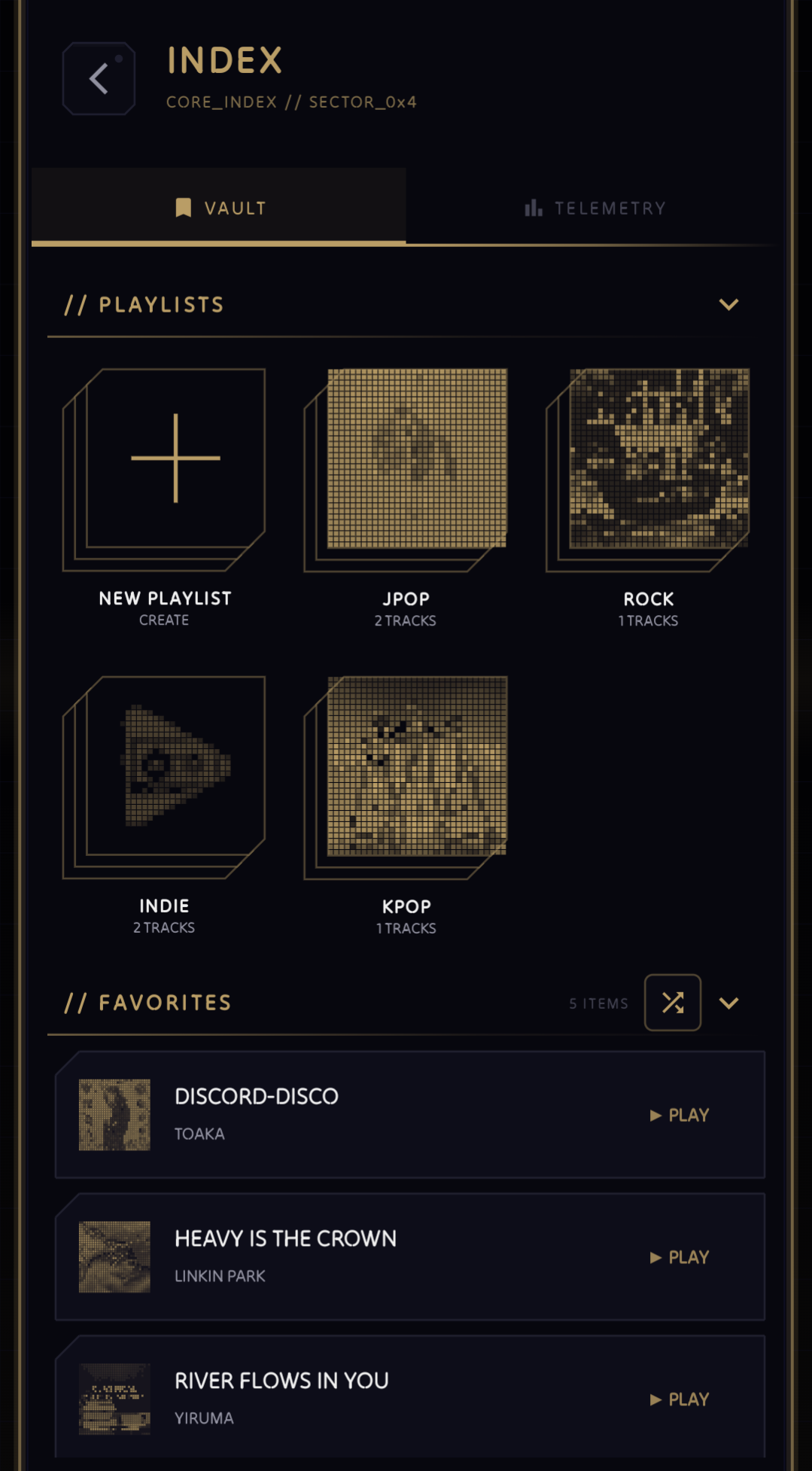
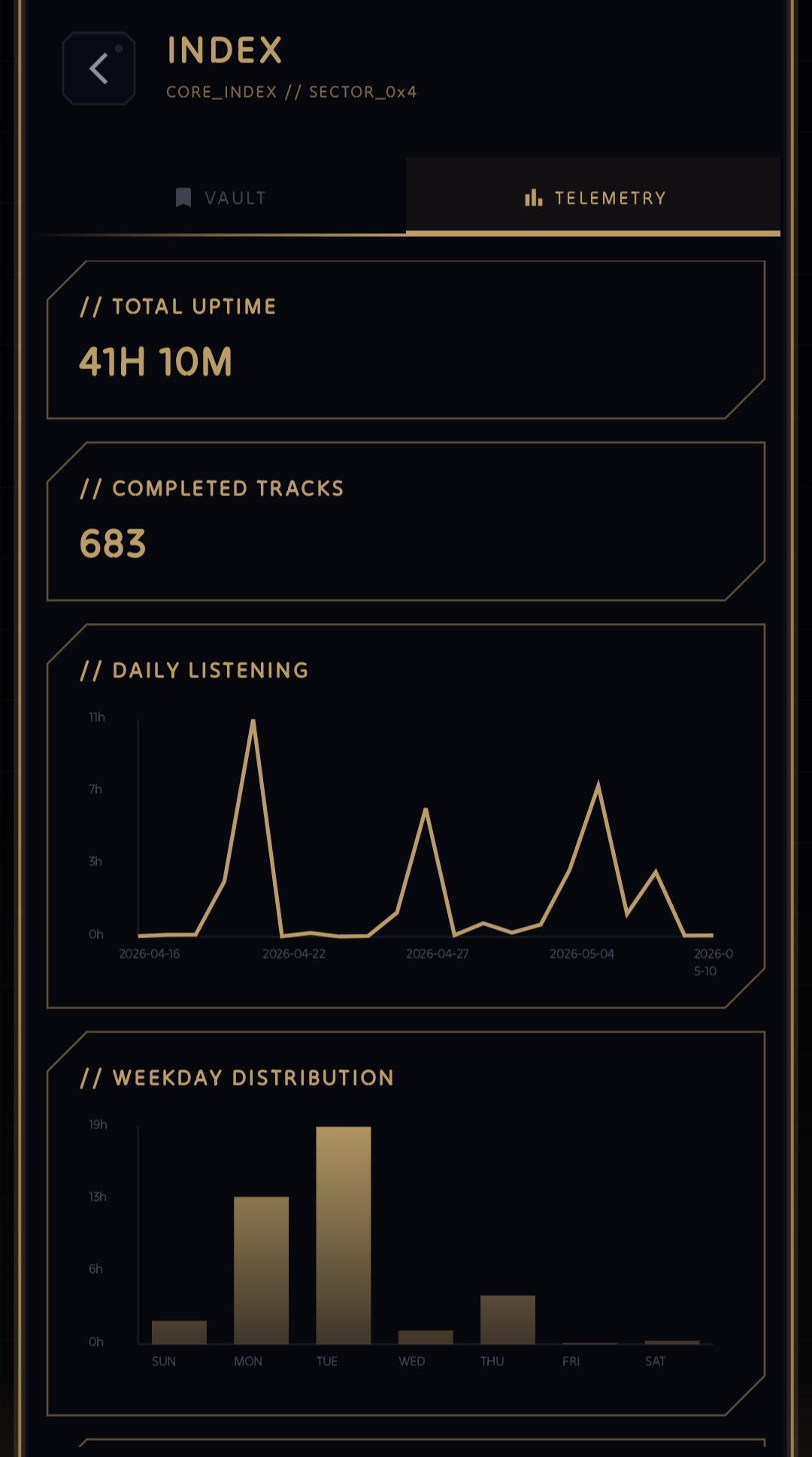
The biggest addition is IDX, a new top-level screen split into two parts: VAULT and TELEMETRY.
VAULT is for your collection. It has playlists, favorites, recent hits, and old hits. I wanted this to feel more personal than a normal library tab. The ARCHIVE screen is still where you browse tracks, albums, and artists from MediaStore. VAULT is where NeoMusic remembers what you care about.
TELEMETRY is for listening stats. It shows total uptime, completed tracks, daily listening, weekday distribution, top tracks, and top artists. I could have made this a normal stats page with a bunch of boring rows, but that would not fit NeoMusic at all. So the charts are Canvas-drawn with the same neon styling as the rest of the app.
If the player is supposed to feel like a futuristic audio deck, the stats screen should feel like a diagnostics panel. That was the goal.
Playlists Finally Feel Real
Playlist support existed on the roadmap for a while, but I did not want to add a half-baked list of names and call it done. In 0.6.0, playlists are backed by Room and integrated across the app.
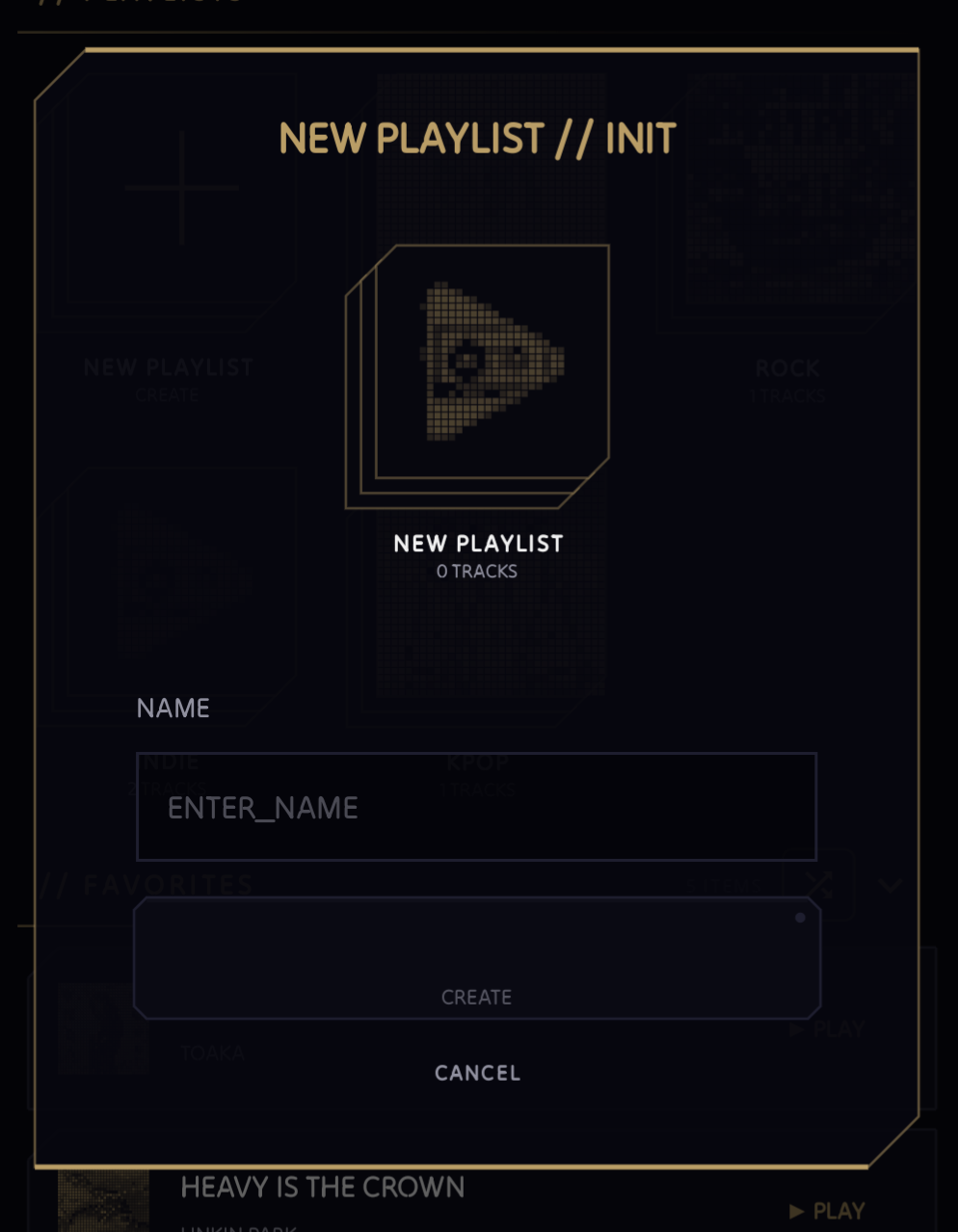
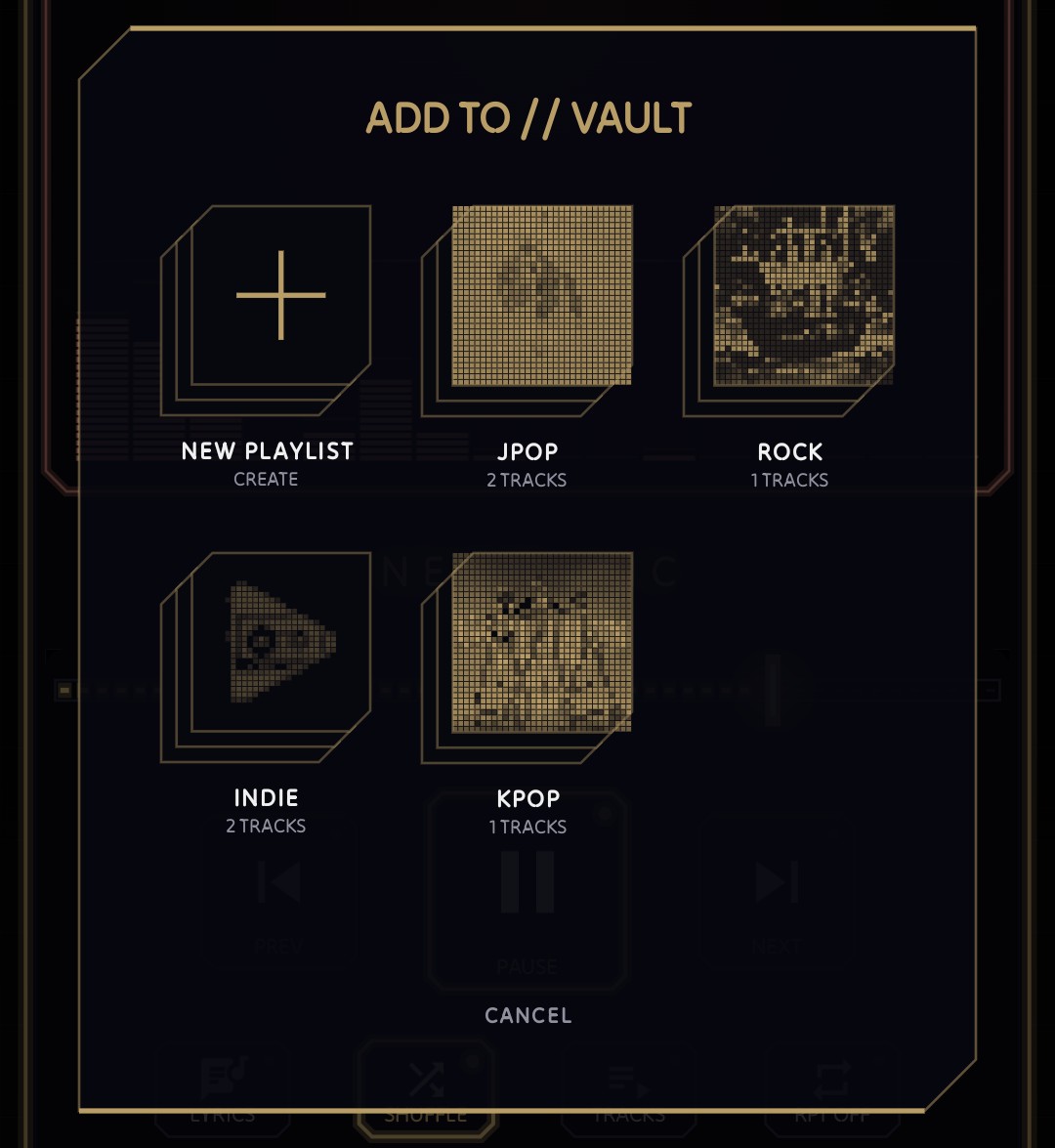
You can create playlists, rename them, delete them, reorder tracks, shuffle them, and add songs from different parts of the UI. There is also a playlist picker dialog, playlist action toasts, and expanded Vault sections so the whole thing does not feel bolted on.
The important design choice is that NeoMusic does not store a copy of all your track metadata in its own database. It stores the personal stuff (favorites, playlist links, listening events) and resolves the actual music through MediaStore IDs. That keeps the app closer to the user's real local library instead of creating a second fake library that can drift out of sync.
Quick Actions Everywhere
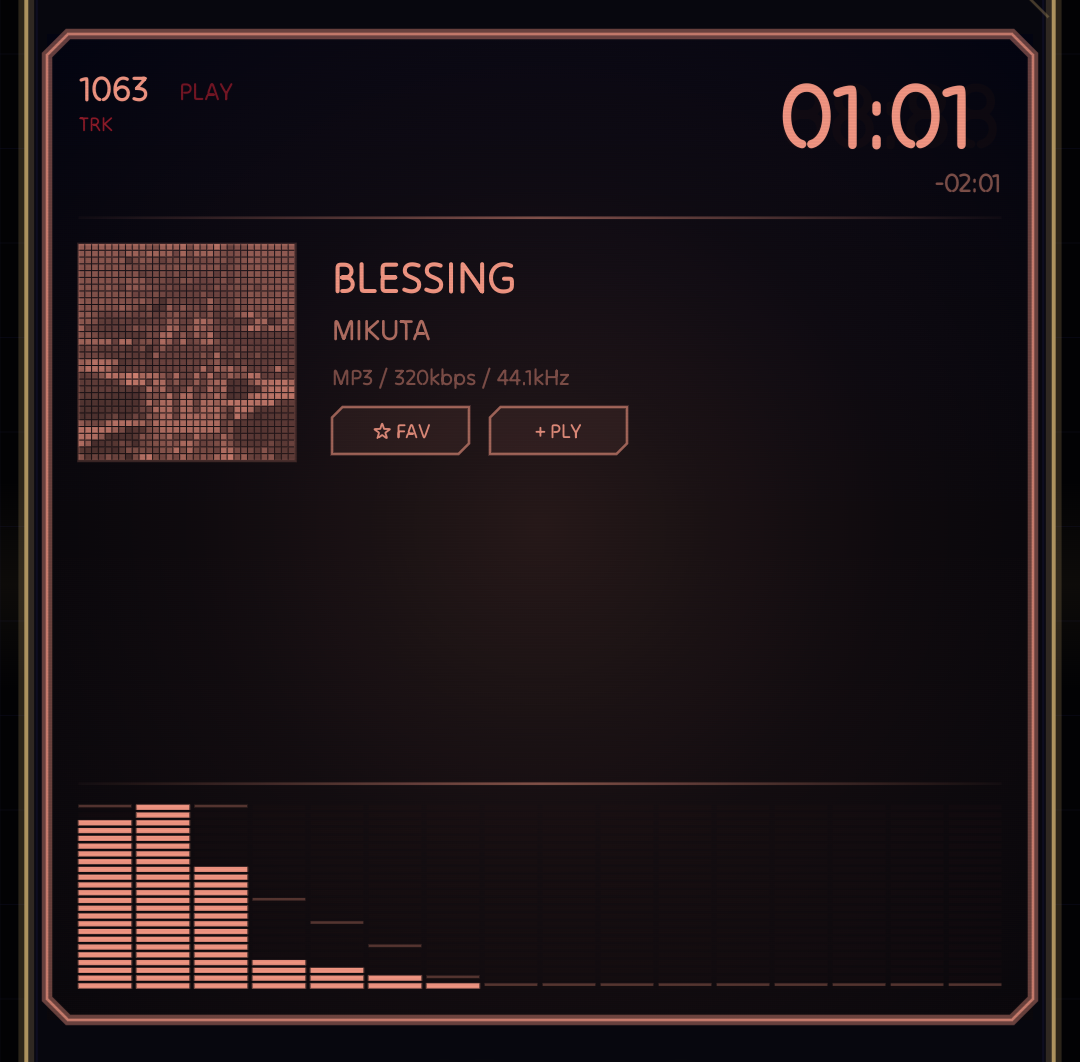
I also added favorite and add-to-playlist actions directly to the player LCD and track rows.
The LCD action row now lets you favorite the current track or open the playlist picker. The library rows also expose those actions from the expanded metadata panel. It makes NeoMusic feel more like a real collection manager instead of a player with playlists hidden somewhere in the back.
Persistent Queue
This was a big one for me.
Music apps should remember what you were doing. If you close the app, come back later, and the queue has vanished, that is just annoying. So 0.6.0 restores the last-played queue and position on cold start.
I also fixed shuffle so it operates on the current queue only. That matters because NeoMusic can play from the full library, a playlist, a Vault section, or a selected set of tracks. Shuffle should respect the context you chose instead of randomly exploding into your entire library.
The player also tracks queue order so the LCD transition knows whether the next track is moving forward or backward. That means queue persistence is not only about playback state; it also keeps the visual behavior consistent.
Word-Level Lyrics
NeoMusic already had synced lyrics, but 0.6.0 adds word-level highlighting.
This is one of those details that feels small until you see it working. Line-level lyrics are useful, but word-level lyrics make the LCD feel more alive. The text follows the track more closely, and it fits the whole idea of NeoMusic being a visual music player instead of just a player with a lyric box attached.
The lyrics system still follows the same priority: embedded lyrics first, synced online lyrics next, then plain online lyrics. Online lyrics come from LRCLib and are cached locally, so the app does not have to keep repeating the same search.
The Player Surface Got Cleaner
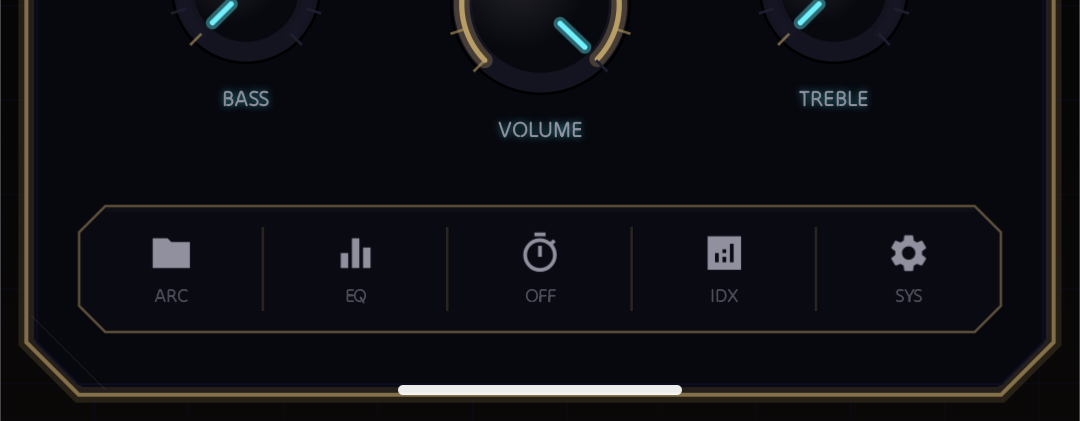
The old physical button row got replaced with a unified floating button strip.
I liked the physical-button idea, but after the app grew, the controls needed to feel more cohesive. The new strip keeps the chamfered neon style, but groups the controls into one stronger surface. It works better in portrait and landscape, and it makes the player look less like separate parts fighting for attention.
I also added audio format info to the LCD, so it can show labels like FLAC, MP3, and AAC alongside bitrate and sample rate. If I am going to draw a fake futuristic LCD, it might as well show useful nerdy details.
Fade In, Fade Out
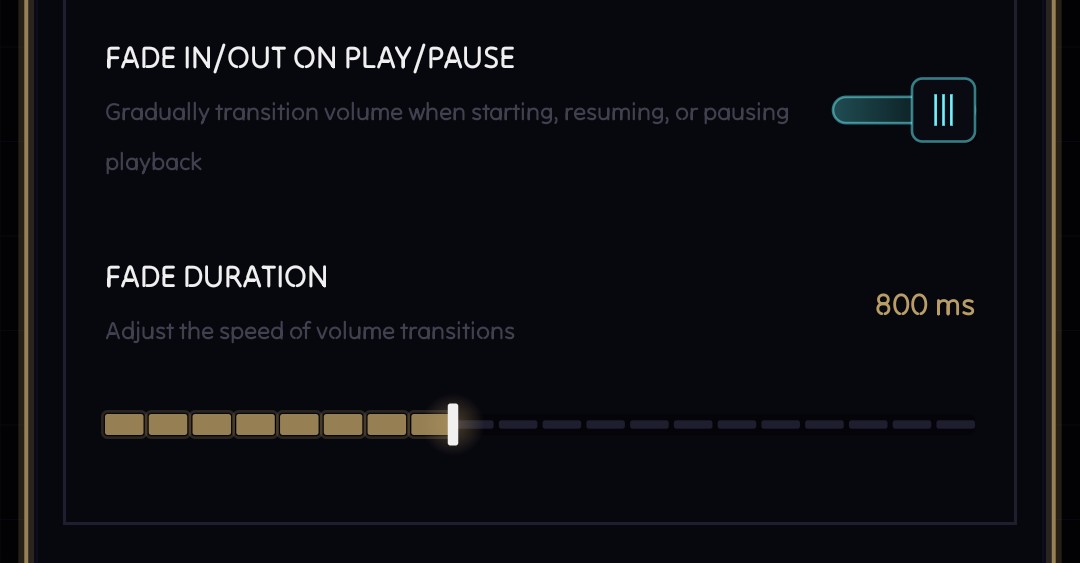
0.6.0 adds optional volume fade on play and pause, with adjustable duration.
Hard audio cuts can be jarring, especially when pausing something loud or resuming with headphones. The fade option gives playback a softer edge without forcing it on everyone.
Terminal Toasts
Normal Android toasts would look extremely out of place in NeoMusic.
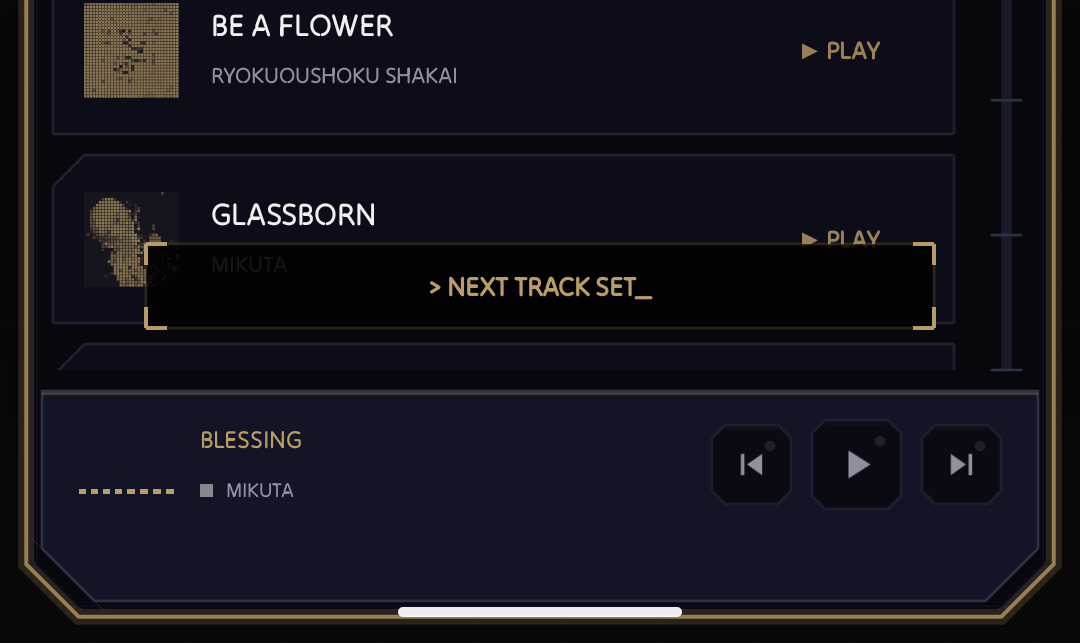
So I made terminal-style toasts with typewriter text and scanline animations. They are used for playlist actions and other small bits of feedback. This is exactly the kind of thing that takes longer than expected because the animation has to feel quick, readable, and not annoying.
But it fits the app way better than stock system toasts, so here we are.
Settings Rework
By this point, the settings screen had too much going on.
NeoMusic now has display customization, playback behavior, library options, lyrics settings, premium features, language selection, AMOLED mode, and more. Keeping that in one giant settings screen was not going to scale, so I split it into Display, Playback, Library, and Lyrics screens.
This should make future settings easier to add without turning the screen into a spreadsheet.
Adaptive Color Engine
The premium highlight in this update is the Adaptive Color Engine.
NeoMusic can now recolor the player interface from the current album artwork in real time. This builds on the same idea as the LCD artwork tinting, but pushes it across the whole player surface. When it works well, the app feels like it is changing costumes with each track.
I think this is the right kind of premium feature for NeoMusic. It does not block playback or basic library features. It adds extra personality for users who want the app to feel more alive.