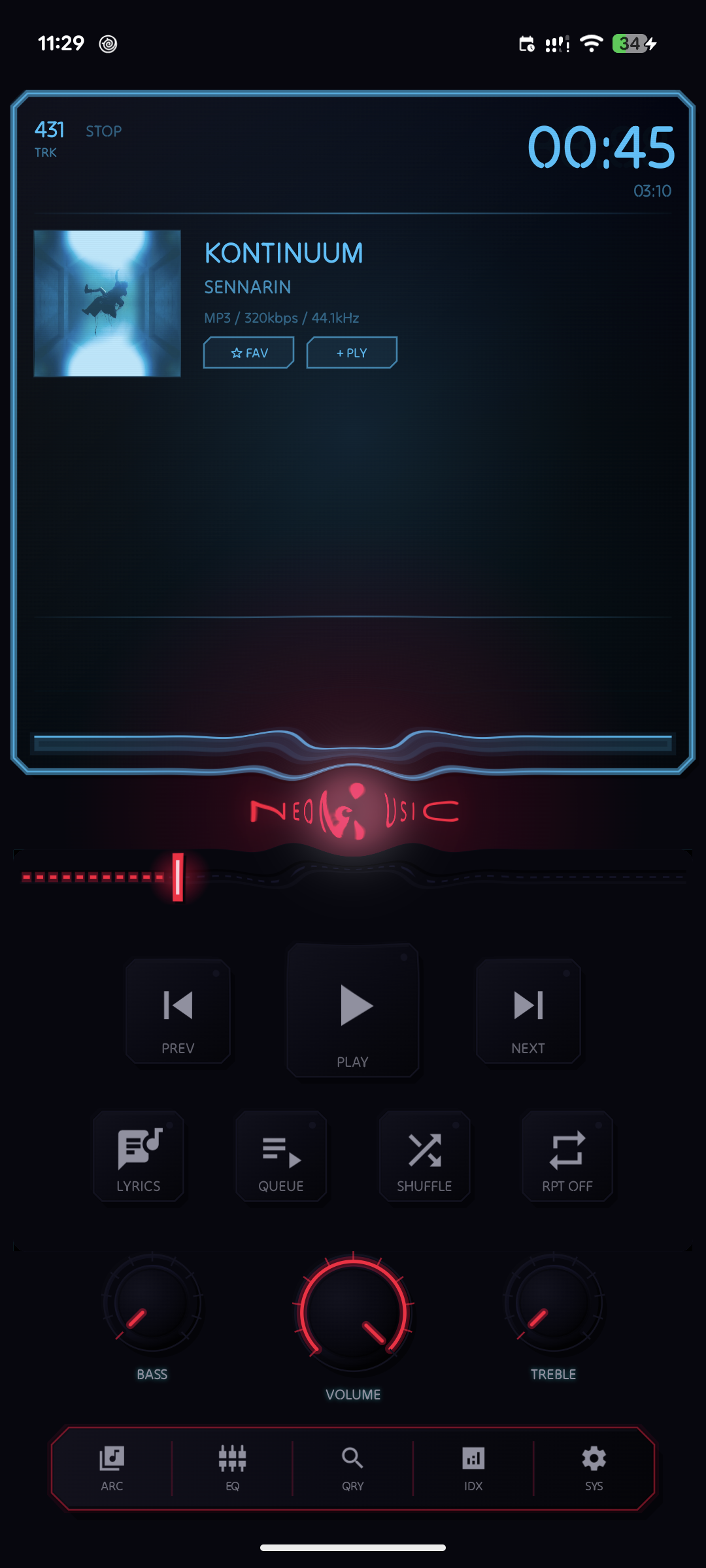
NeoMusic 1.1.9: Telemetry Cards, Retro Mode, and a Blueprint of the Player
11 juillet 2026
Replay calendars, genre radar charts, and activity heatmaps for your stats, a full metal-shader Retro Mode, Blueprint's interactive schematic view, SPECTRA edition, and a pile of quality-of-life features since 1.0.0.
Full Changelog
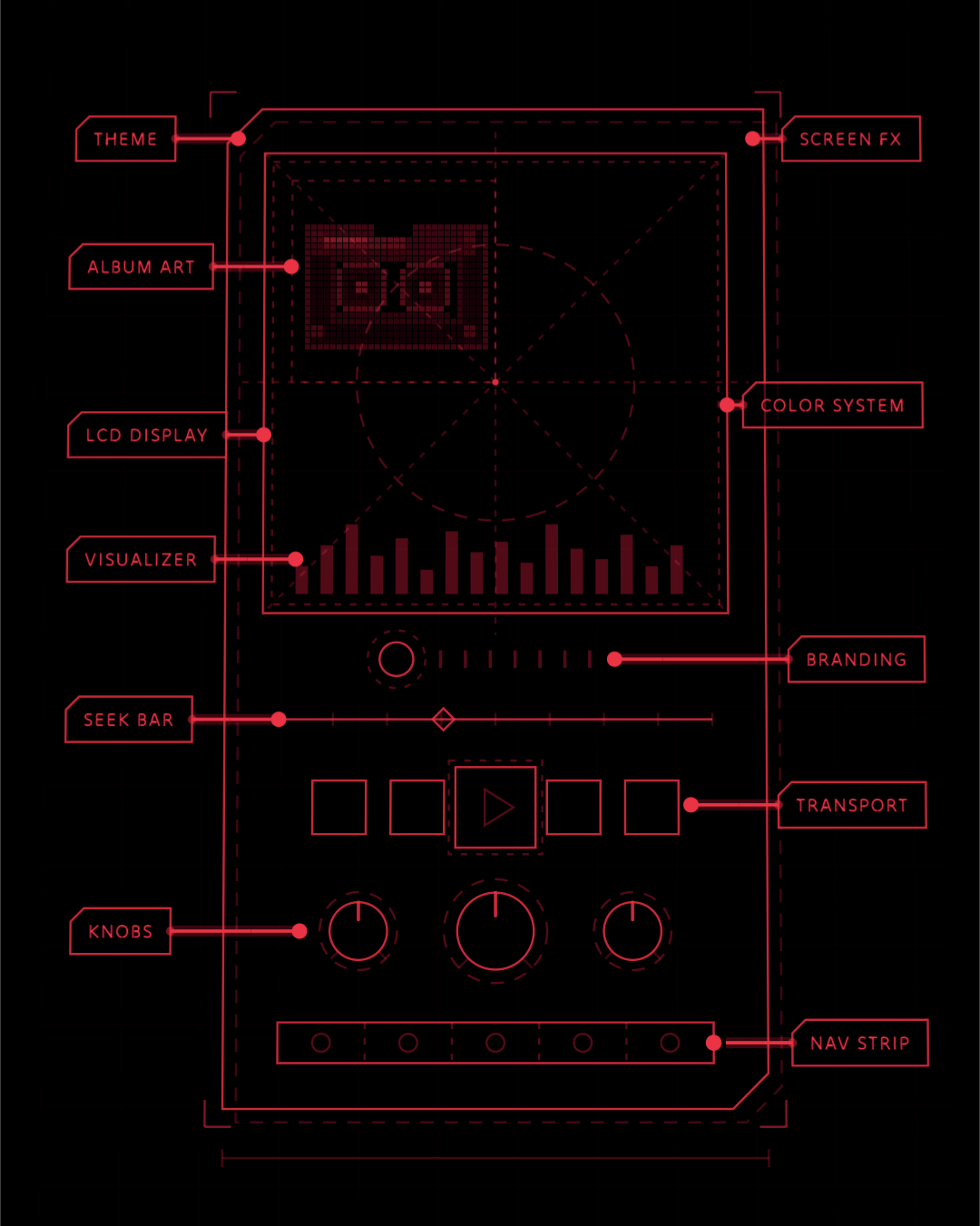
- →NEW: Blueprint view: An interactive schematic to dive into player customization
- →NEW: Quick-search: Just type and press enter to play (access from Index screen)
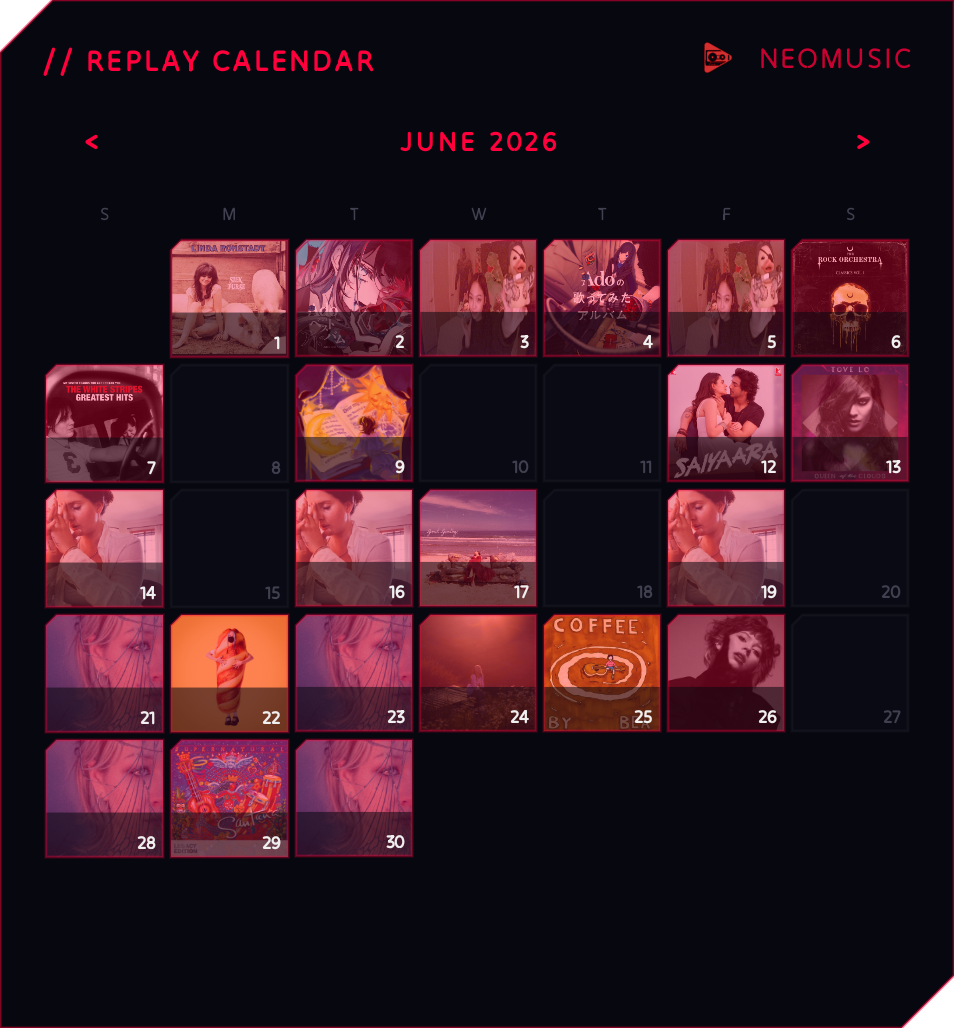
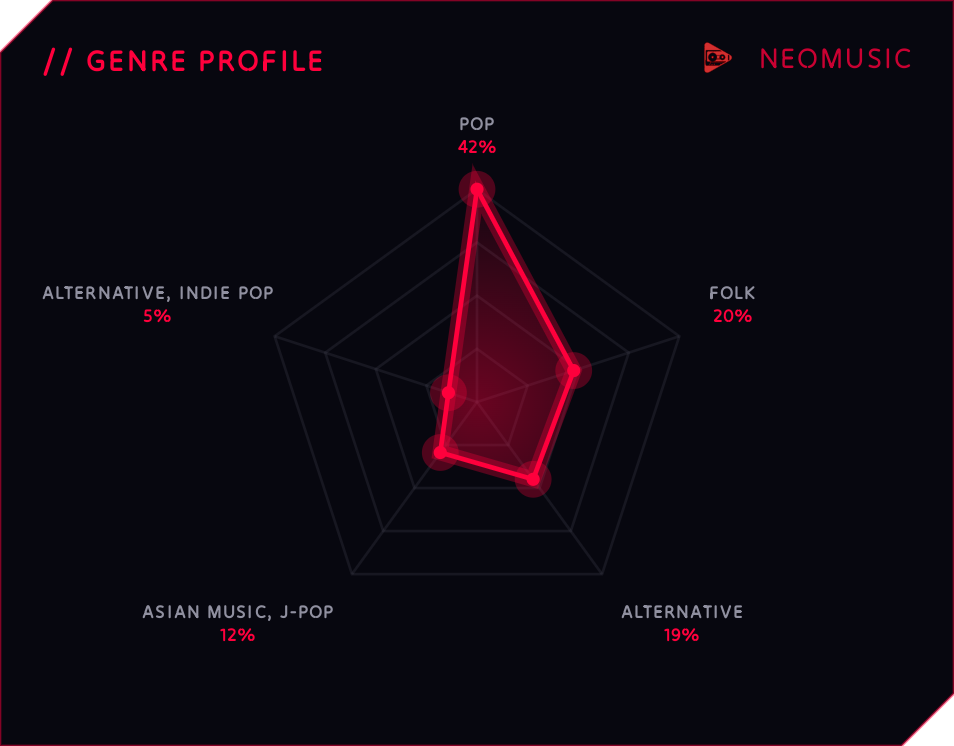
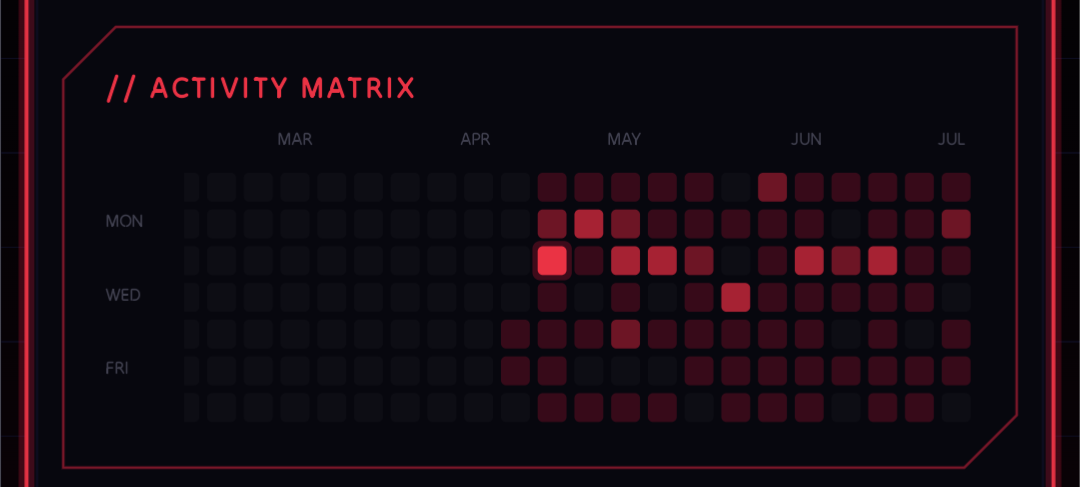
- →NEW: New Telemetry cards: Album art calendar, activity heatmap, and genre radar chart
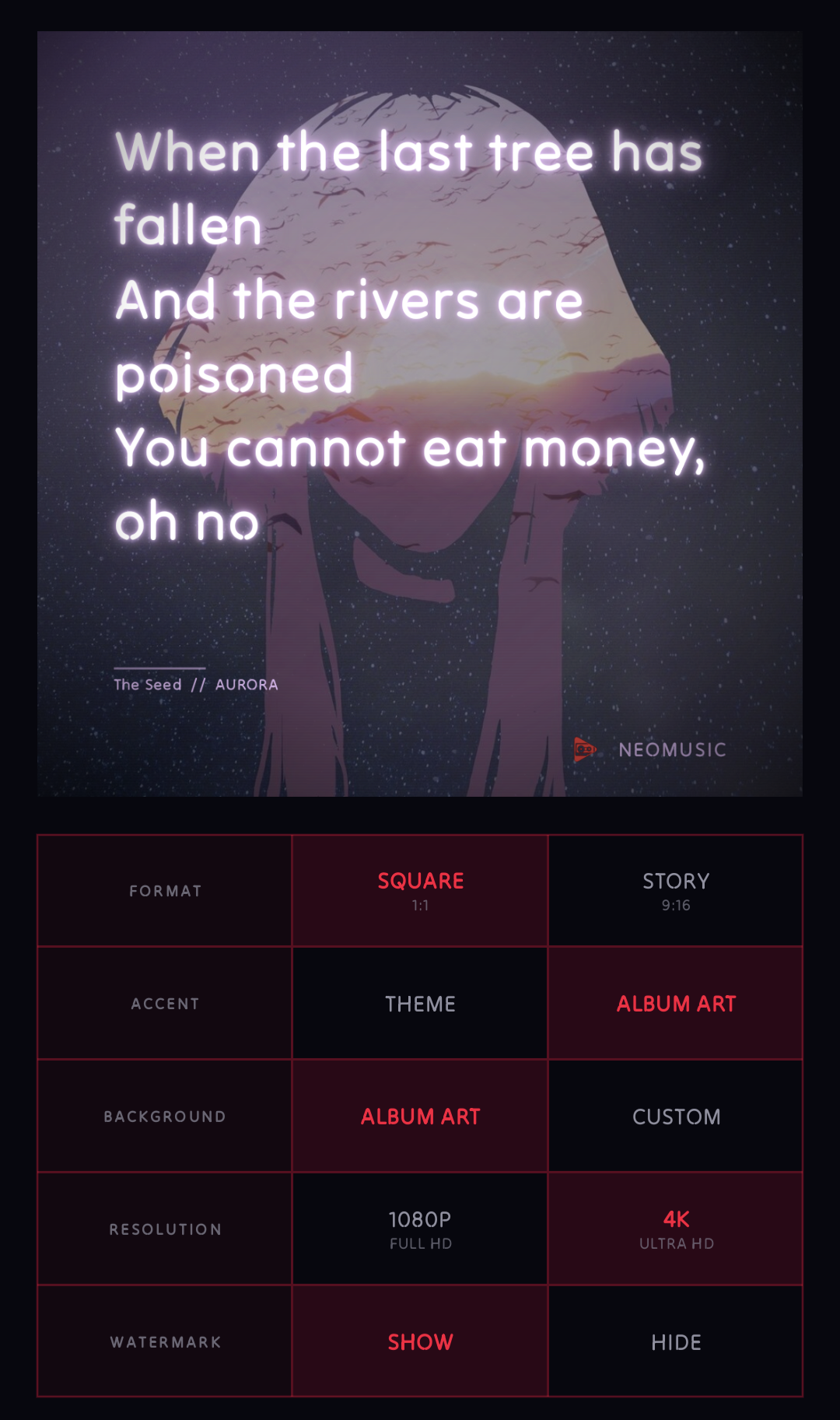
- →NEW: Lyric Card Studio: Share lyrics as neon-styled cards
- →NEW: Borderless mode: Removes the border across the app
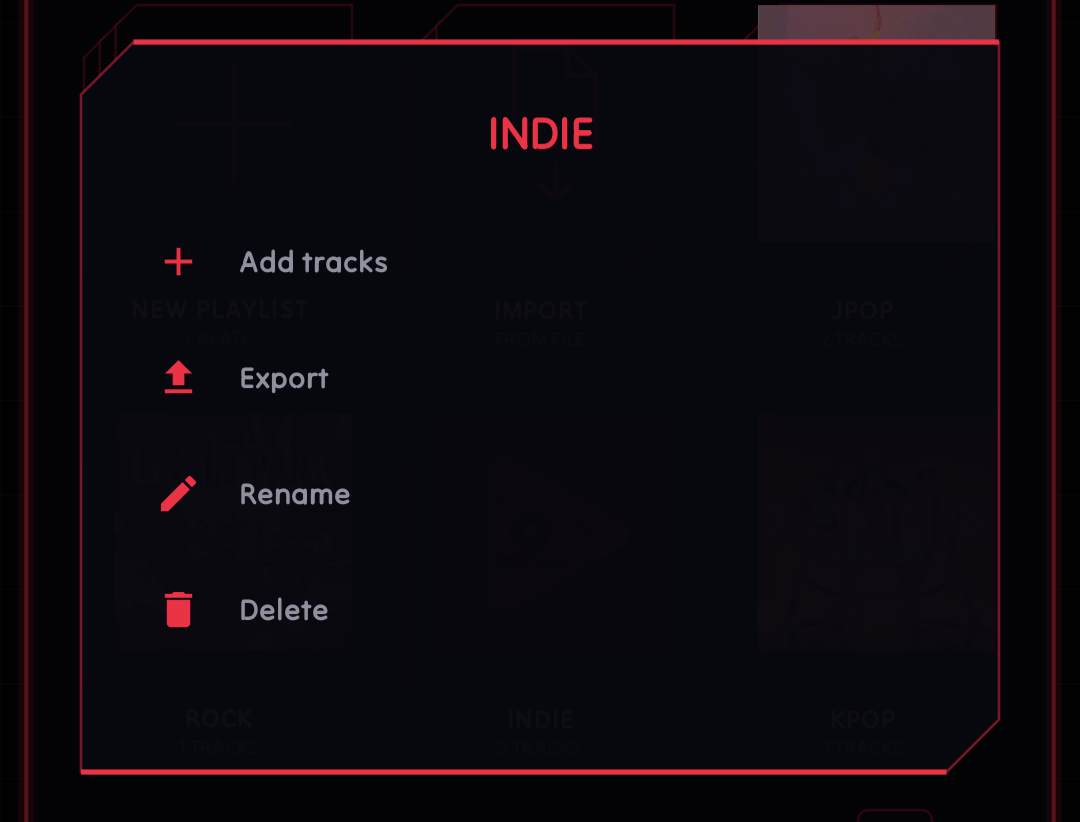
- →NEW: Playlist quick actions: Long-press a playlist for shortcuts
- →NEW: Customizable swipe gestures, independent per direction
- →NEW: Contextual hints to guide you around new features
- →NEW: Dystopian Light paper theme with printed-ink borders
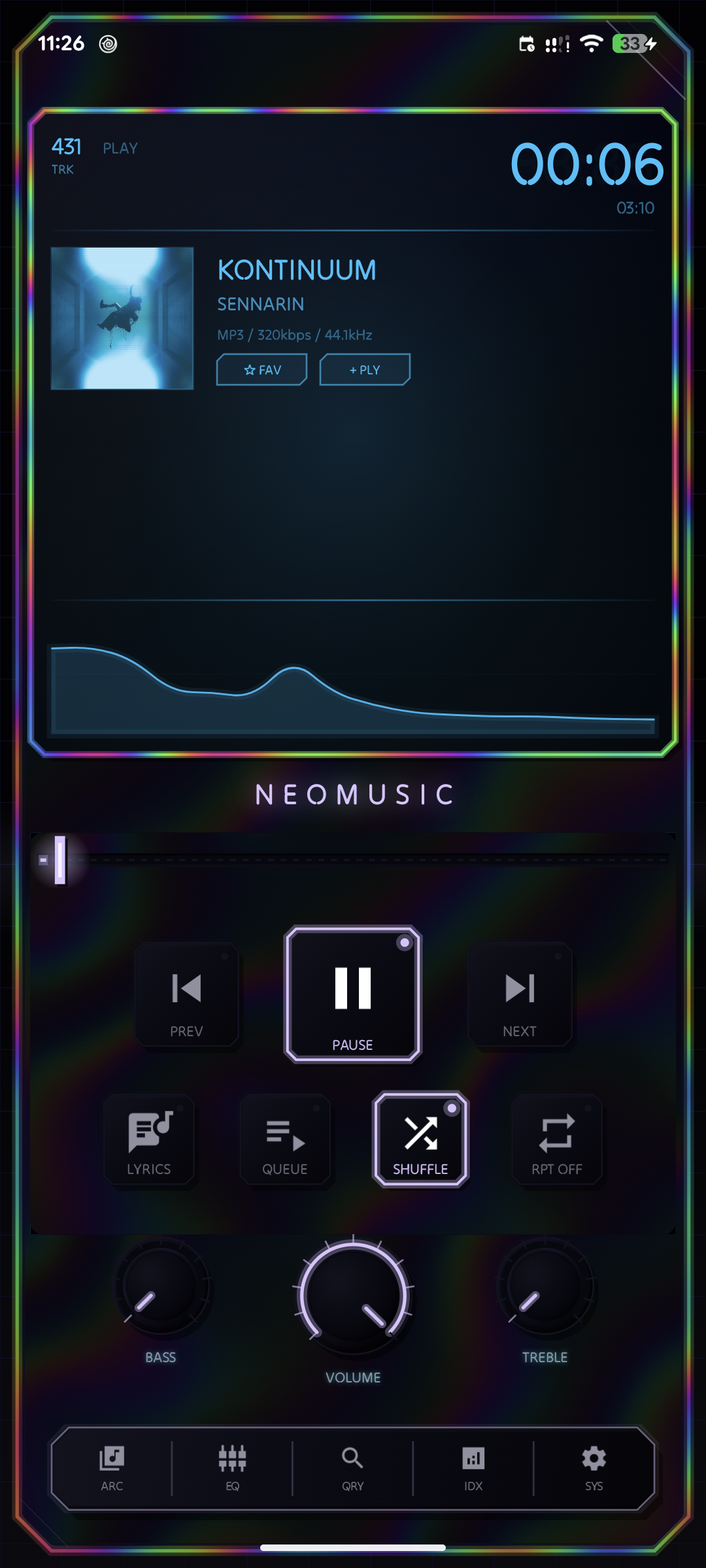
- →NEW: SPECTRA material edition with tilt-reactive holographic shimmer
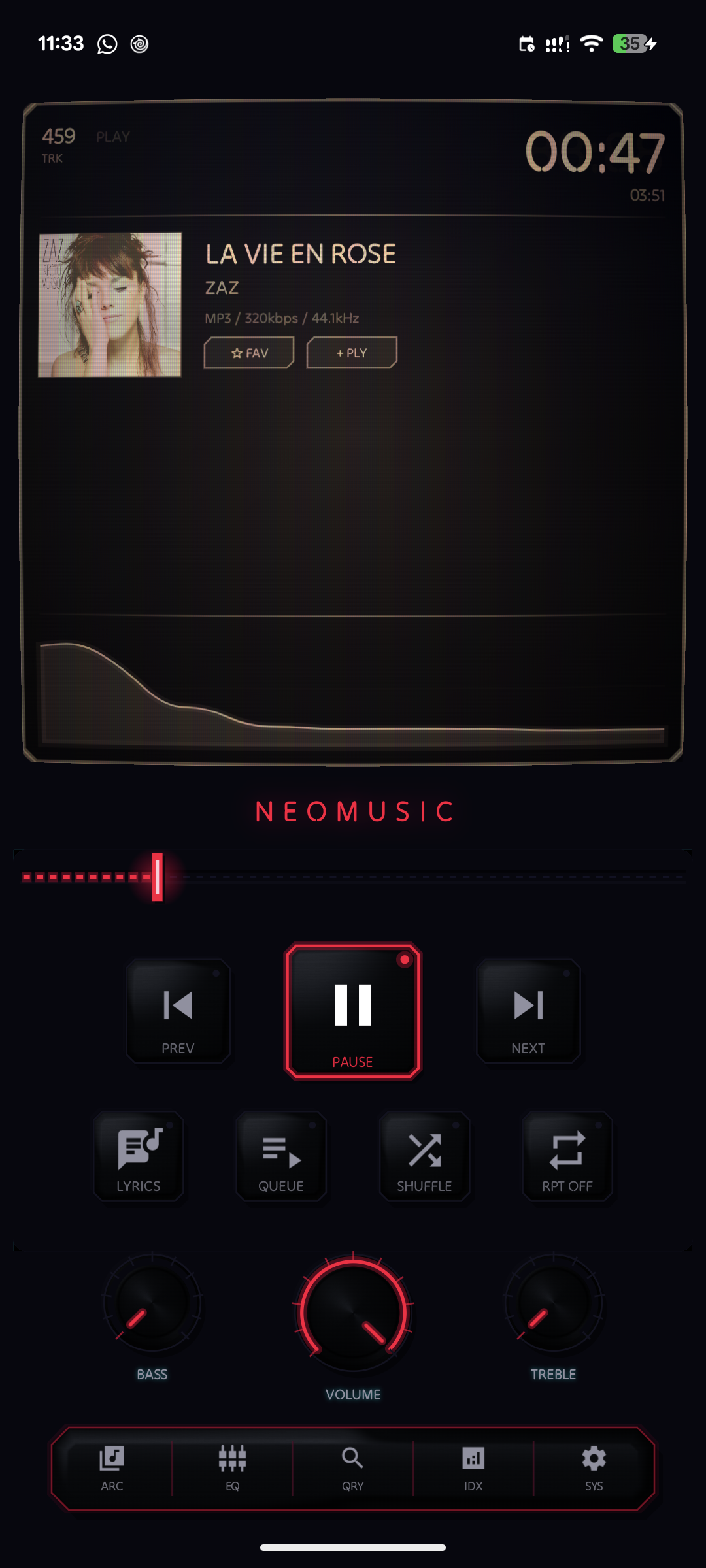
- →PREMIUM: Retro Mode with brushed-metal buttons, knobs, and hardware detailing
- →PREMIUM: Navigation strip customization
- →PREMIUM: 10-band Full Spectrum EQ with a live response curve and custom presets
- →PREMIUM: Chromatic and Fade navigation transition styles
- →PREMIUM: Customizable seek bar thumb styles
- →PREMIUM: Custom background images for shared lyric cards
- →FIXED: Performance improvements to visuals, EQ, and artwork loading
This is the first public release since 1.0.0, so this one covers everything that landed in that stretch instead of just the latest patch.
Lyric Card Studio
Lyrics can now be exported as neon-styled shareable cards, square or story format, HD or 4K, with a background of your choice: none, album art, or a custom photo on the premium side. The color of the card adapts to the dominant color pulled from the album art automatically, so you're not stuck picking a shade that clashes with the cover. Find it from the share icon in the lyrics view of the player.
Blueprint View
If you've ever wanted to poke at the player like a technical schematic, Blueprint is that. Hold the app name on the player to reveal a wireframe drafting-style view of it, then tap any labeled region to jump straight into the relevant settings section. It's mostly an excuse to make a cool transition, but it's also genuinely a faster way to find the setting you want instead of digging through menus.
New Telemetry Cards
Stats got a proper glow-up. There's now a replay calendar that shows your most-played track's artwork as a little month grid, swipe left or right to go back through your listening history and watch the covers change day by day. Next to it is a genre radar chart, a spider-web plot of what you've actually been listening to instead of what you think you listen to. And there's an activity heatmap in the GitHub-contributions style, scanning in with a little reveal animation so you can see a full year of listening density at a glance. All three live in the Telemetry tab and are exportable now too, share or save them straight from there with your NeoMusic branding baked in.
[Premium] Retro Mode
CRT Screen got renamed and expanded into Retro Mode, and it's not just a filter anymore. Buttons and knobs now render with actual procedural metal shaders, brushed aluminum and spun steel depending on what you're looking at, plus machined corner screws and recessed vent slots on the player body. It genuinely looks like hardware now instead of a flat UI pretending to be hardware. Toggle it from Display settings.
SPECTRA Edition
A fourth material edition joined the lineup, available from the Editions screen. SPECTRA has a rainbow holographic border and a foil shimmer on the panel face that actually follows your phone's tilt using the device's sensors. It's the shiniest one yet, in the literal sense.
[Premium] Navigation Strip Customization
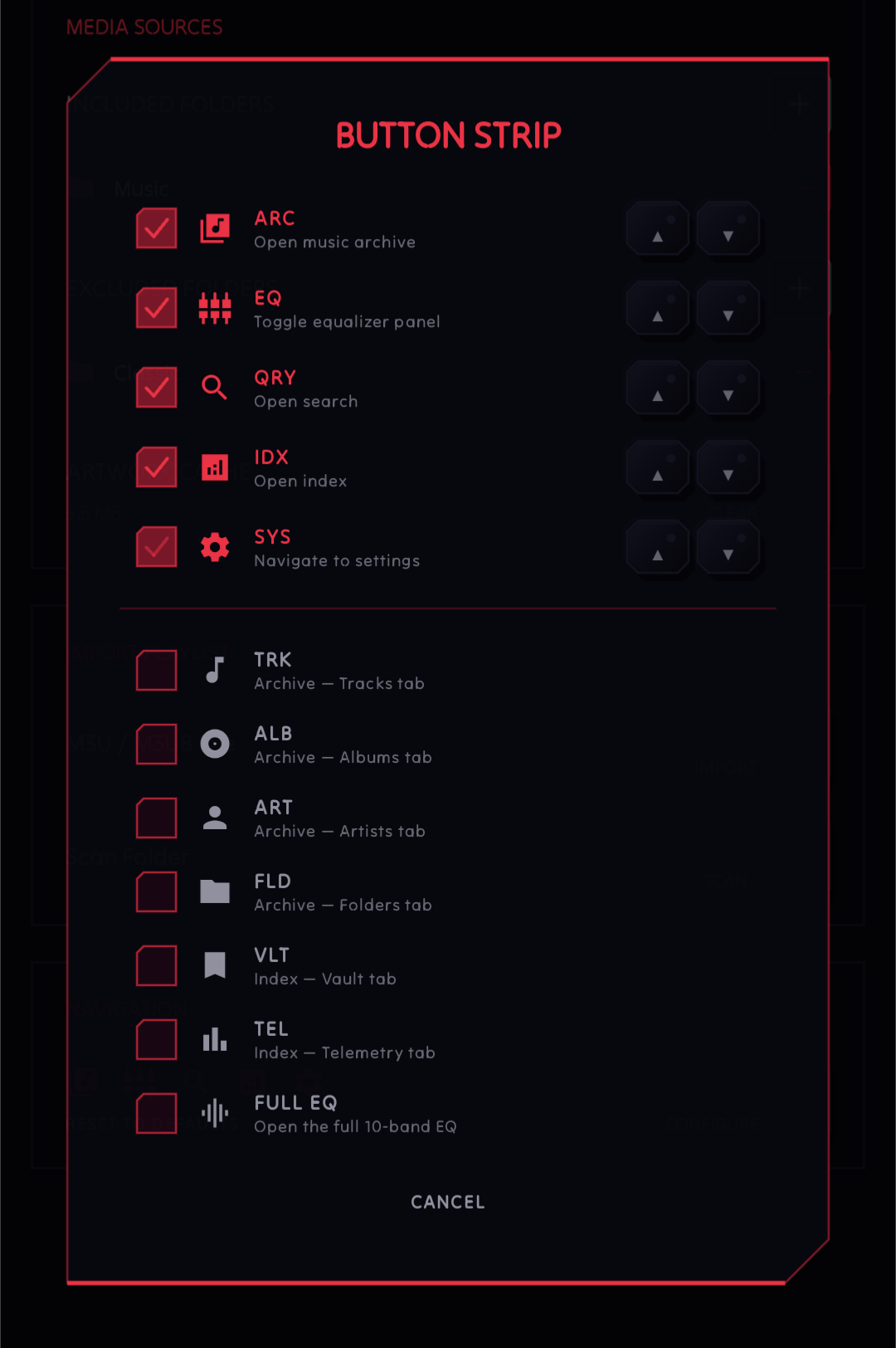
The floating button strip on the player is now yours to configure from Display settings. Reorder the buttons, swap them out, add search to it directly. There's a minimum and maximum item count so it doesn't fall apart, and Settings stays mandatory because you still need a way out.
Customizable Swipe Gestures
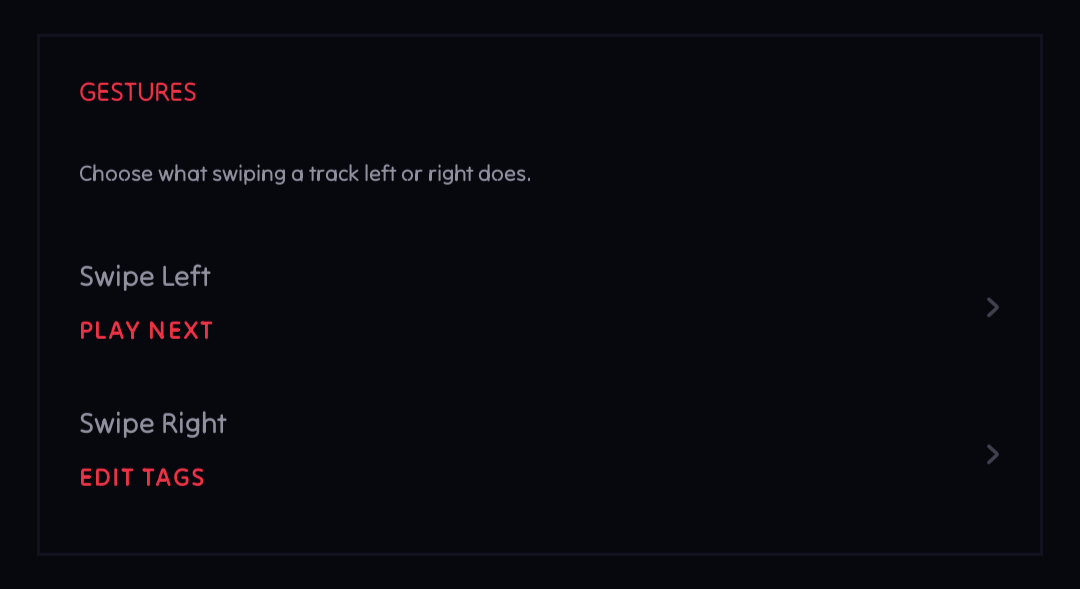
Track swipe actions now work in both directions independently, and you can turn either one off entirely if you don't want swipes doing anything. Configure it from Library settings. Small change, but it was one of the more requested ones.
[Premium] Custom Seek Bar Thumbs
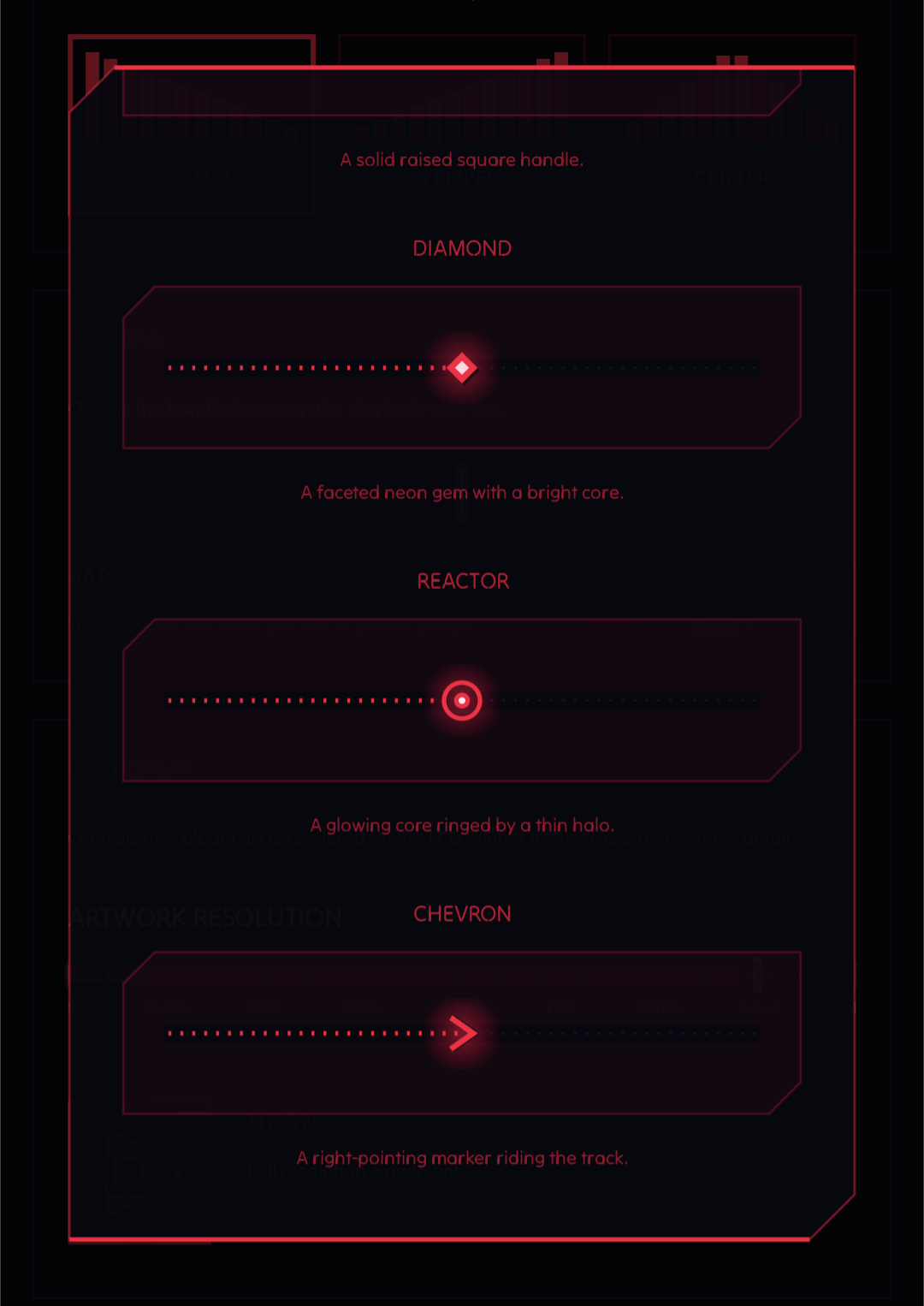
The seek bar thumb now has five shapes to pick from instead of the one default bar, with a live preview in Display settings so you know what you're getting before you commit.
Borderless Mode
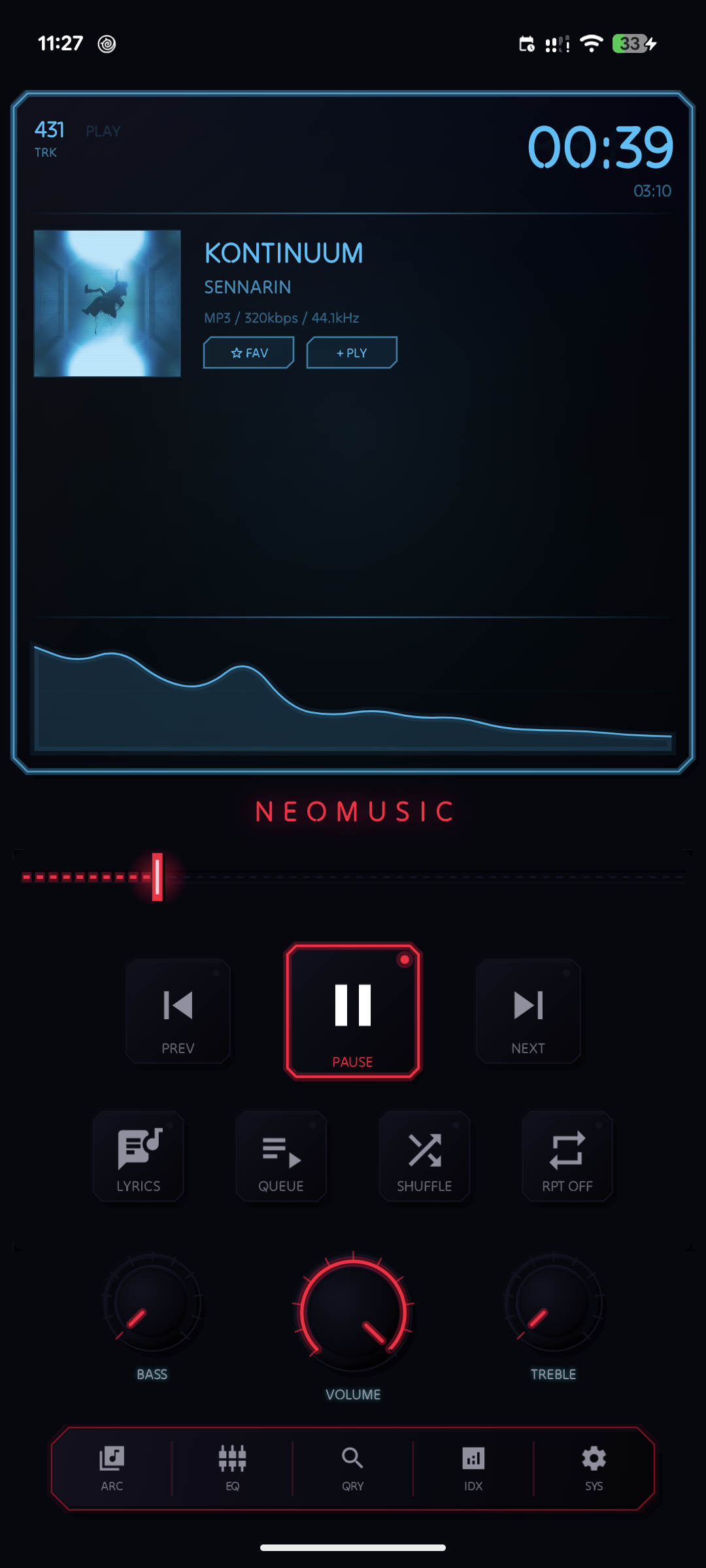
For anyone who wants the player to run edge-to-edge without the chamfered frame, there's now a toggle for that in Display settings. Turns off the border, the grid background, and the inner depth strokes, and the rest of the layout adjusts padding to still clear system bars properly.
Playlist Quick Actions
Long-press a playlist in the vault now and you get a shortcut menu for adding tracks, syncing, exporting, shuffling, renaming, or deleting, without opening the playlist first.
There's also a Huawei AppGallery flavor now with its own HMS billing, sign-in handling, and privacy consent flow to satisfy their review rules, none of that is visible if you're on Play Store but it took a genuinely absurd amount of time. Under the hood there was a big performance pass too: cached shader effects, a proper LRU album art cache, and a rewritten spectrum pipeline so the visualizer stops recomposing half the app while music plays. None of that is glamorous, but the app should just feel snappier for it.