NeoMusic 0.5.1: Android Auto, Lyrics, Folders, Sleep Timer, and Queue Editing
6 avril 2026
A big usability update that makes NeoMusic work better in more places.
NeoMusic 0.5.1 was one of those updates where I kept saying "just one more feature" and then somehow ended up with half a roadmap in one release.
This version adds Android Auto, online lyrics through LRCLib, folder browsing, a sleep timer, better queue management, more languages, and a bunch of visual polish around the LCD and artwork rendering.
Basically, this is the update where NeoMusic became much more useful outside the main player screen.
Android Auto
Android Auto support was a big one.
The app now exposes a browse tree for:
- →Tracks
- →Albums
- →Artists
It also supports play and shuffle controls from Android Auto.
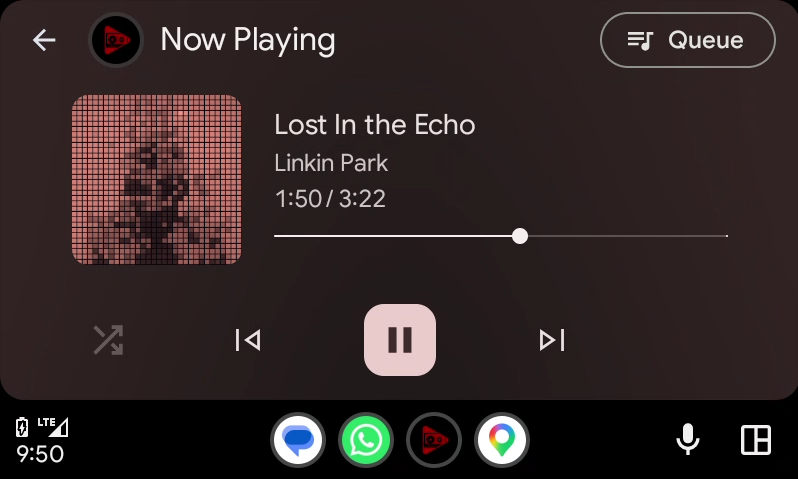
The most important part is that I managed to get the custom pixelated and accented album art over to the Android Auto player! So now you can have a unique album art on your car screen, while every one else has the same ;)
Lyrics Through LRCLib
I always wanted NeoMusic's LCD to feel like a proper music display, and lyrics are a huge part of that.
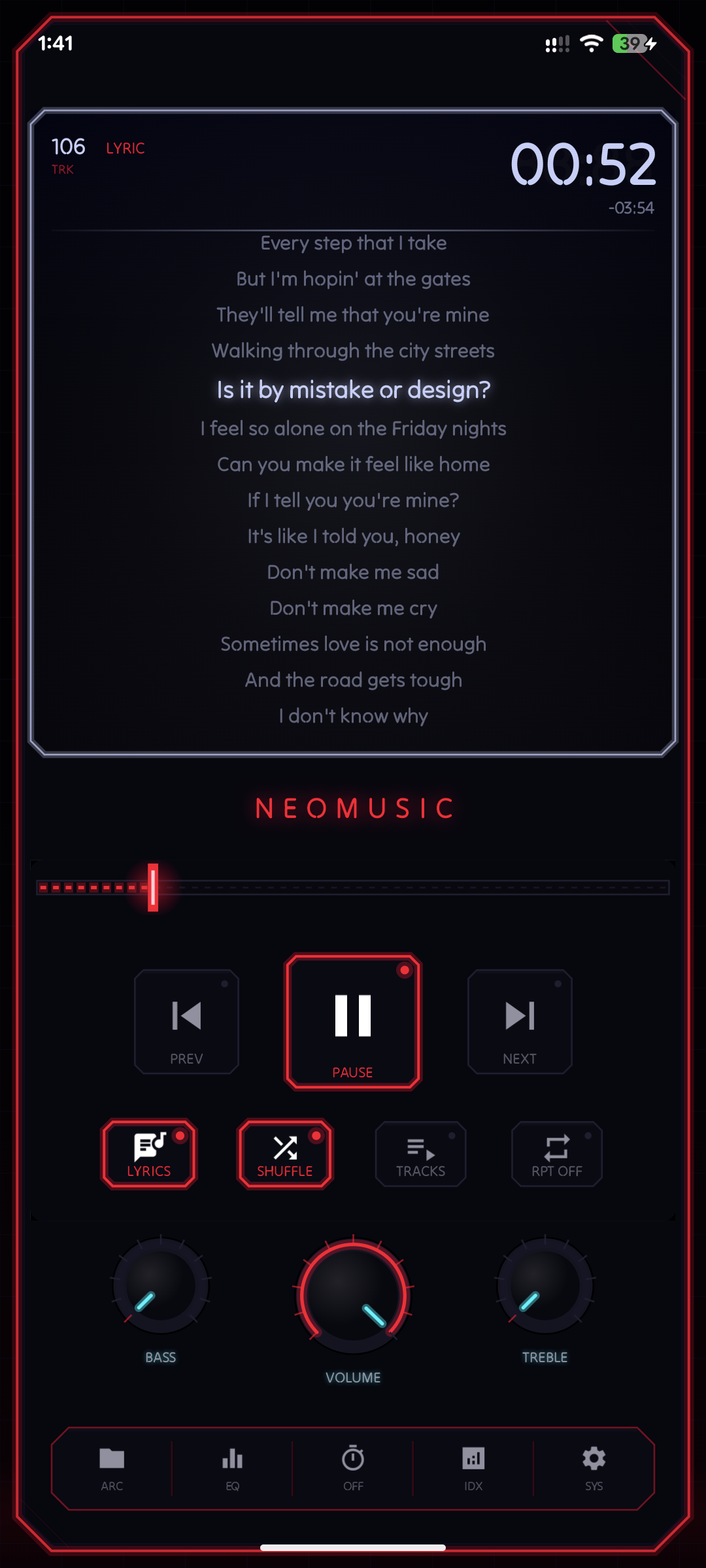
0.5.1 adds online lyric search and embedding through LRCLib. The app can search for lyrics when embedded ones are missing, cache the results locally, and let you save online lyrics into the local cache as if they were embedded. Actually embedding the lyrics is not supported yet unfortunately. Hoping to implement that soon.
The source priority is:
- →Embedded lyrics
- →Synced online lyrics
- →Plain online lyrics
There is also a lyrics source selection flow and an option to turn online lyrics on or off. I wanted users to have control over this because lyric databases are useful, but they are not perfect. Sometimes the embedded lyrics are better. Sometimes LRCLib has the synced version you actually want. Sometimes you just do not want the app to go online for lyrics at all.
So the feature is there, but it does not try to take over. Since the app is meant to be offline, you can also disable online lyrics from settings.
Folder Browsing
Folder browsing finally landed in this version.
Albums and artists are great when metadata is clean. Local music libraries are not always clean.
Some people (including me) organize music by folders. Some have old rips, downloaded sets, language files, soundtracks, random singles, or files where the album metadata is a complete mess. A local music player should respect the actual file structure too.
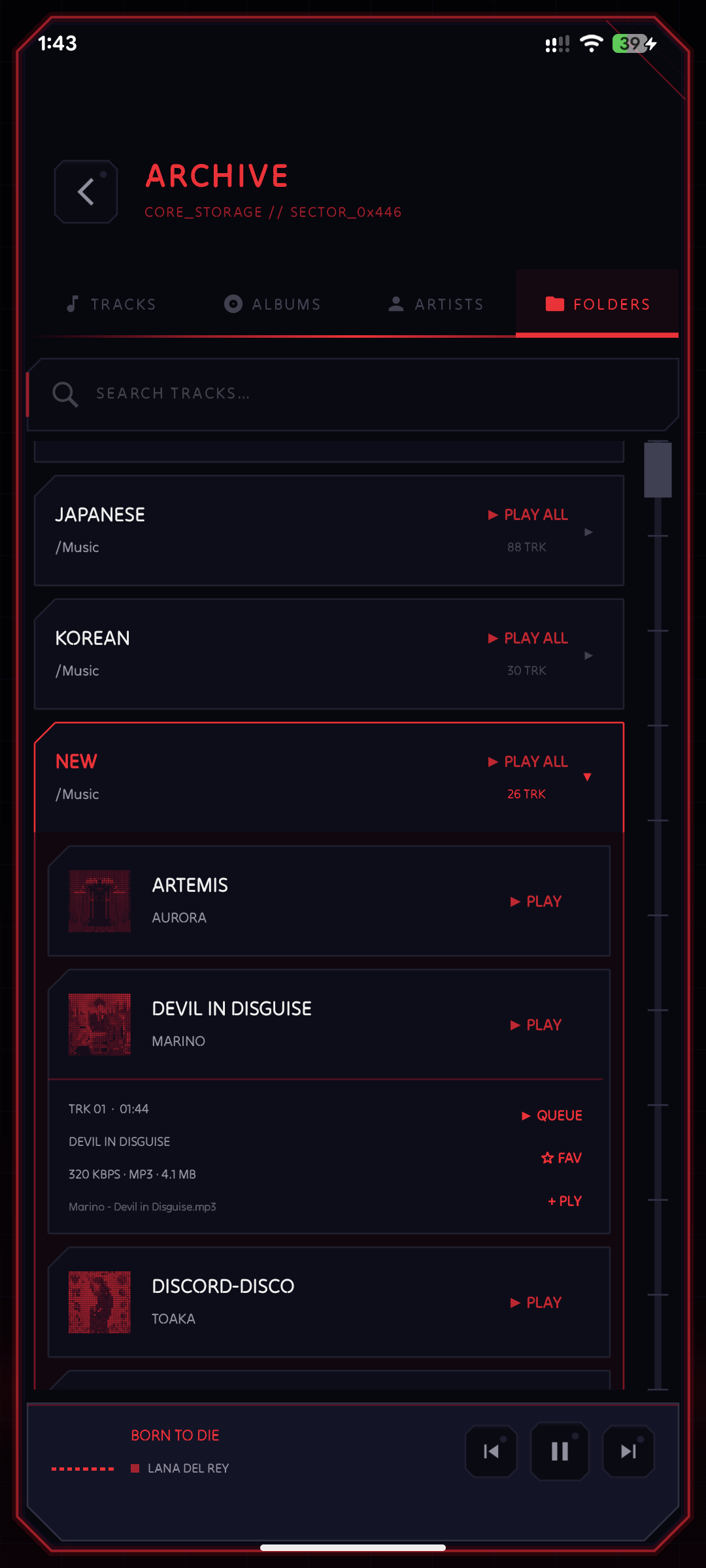
So the library now has a folder view, plus Play All support.
This is one of those features that makes the app feel much more practical for real libraries, not just perfectly tagged demo collections.
Sleep Timer
I've never used a sleep timer in my whole life, but some people do, so I added it.
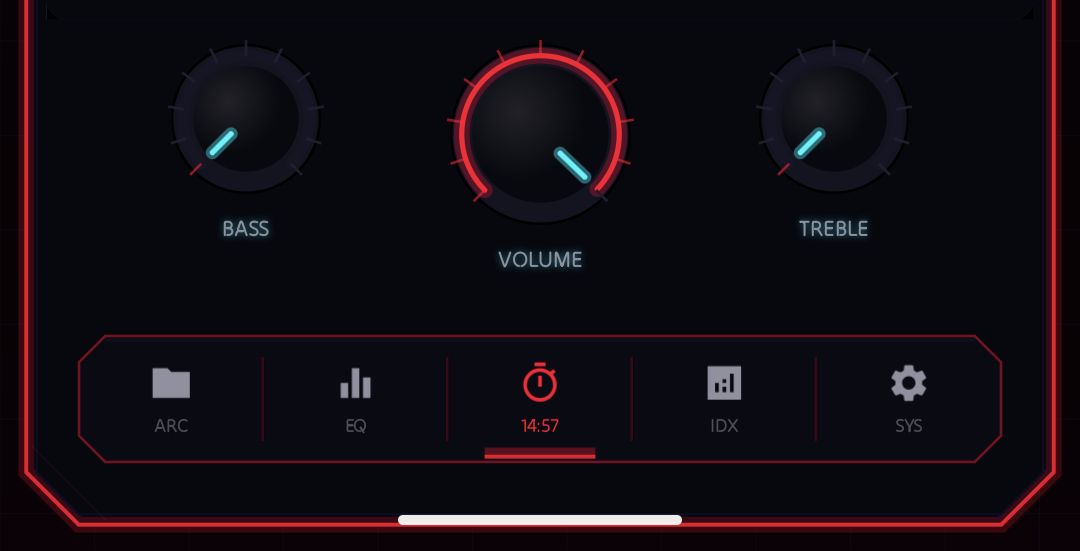
You can set a countdown and NeoMusic will pause playback when the timer ends. It is a simple feature, but it changes how useful the app is. Some features are not impressive in screenshots, but they matter because people actually use them every day.
Queue Overhaul
The queue got a lot of work in this release.
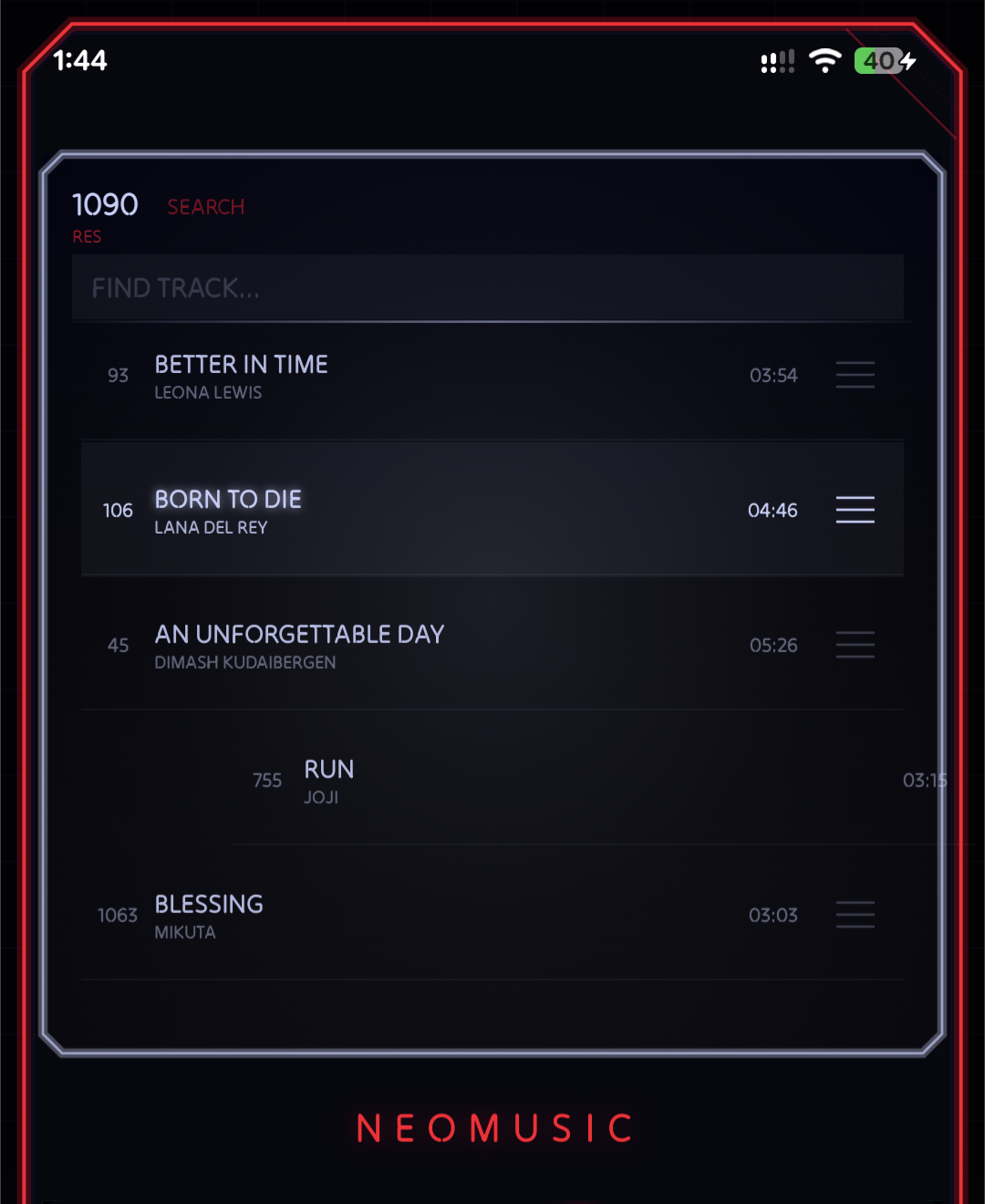
You can reorder tracks, remove items, use manual shuffle behavior, and interact with the queue more smoothly from the LCD player. I also improved drag-and-drop and swipe-to-dismiss animations, because if the queue is going to be editable, it should not feel janky. It took a LOT of effort than I thought it would, to implement dragging in this fully custom UI.
Queue management is one of those things I kept underestimating. A music player without a good queue always feels slightly annoying. You should be able to decide what plays next, fix the order, remove a track, shuffle a selected set, and move on without fighting the UI.
0.5.1 gets NeoMusic much closer to that.
More Languages
This release also adds a lot of localization work.
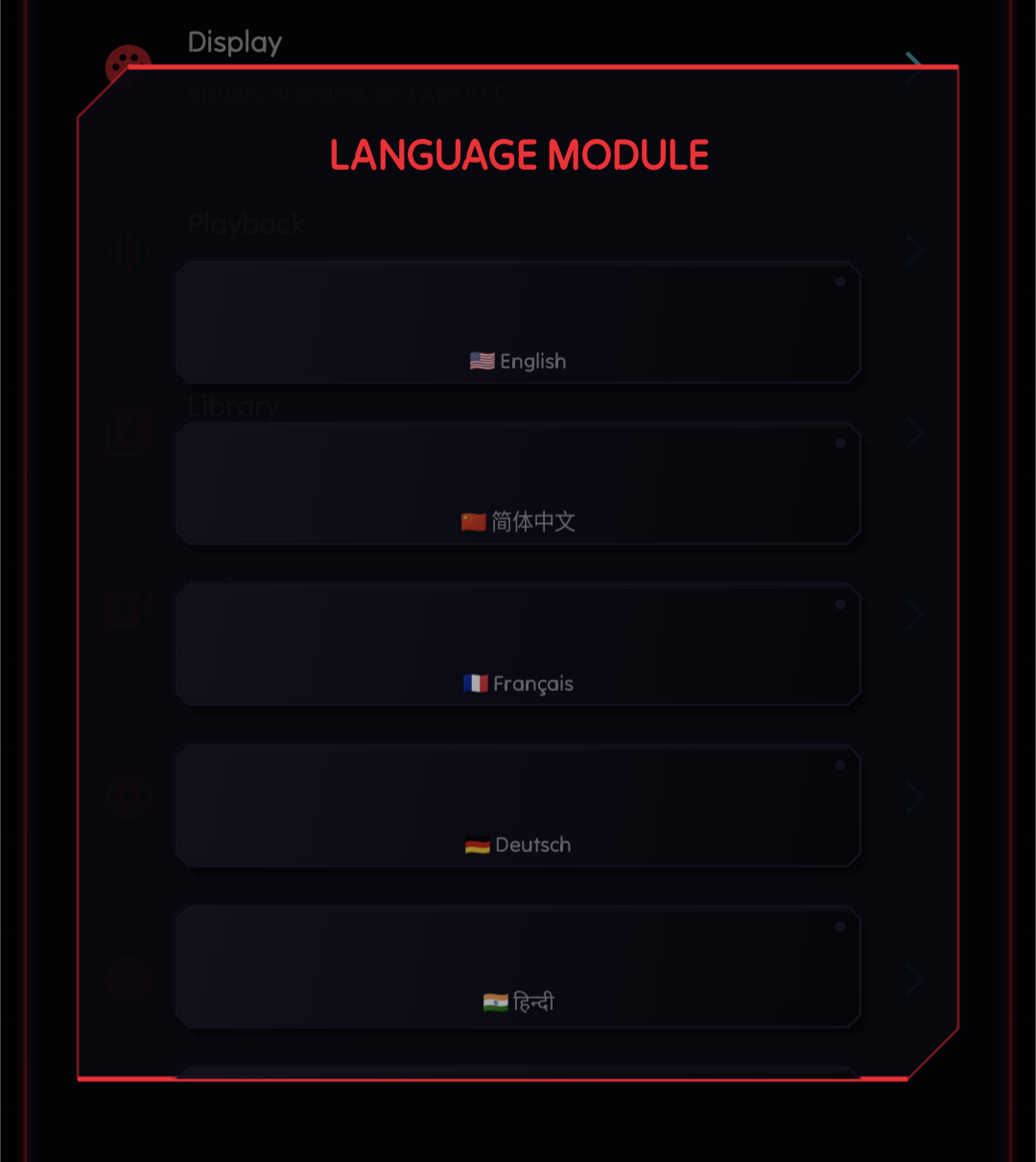
I moved user-facing strings into resources, added per-app language selection, expanded locale configs, and added support for languages including Japanese, Korean, German, Spanish, Brazilian Portuguese, French, and Hindi. Those are of course AI generated so I'll definitely set up a way for the community to contribute translations soon.
Localization is not glamorous work, but it is necessary if the app is going to be used by more than a small group of English-speaking Android nerds. It also forced the app to be cleaner internally because hardcoded strings had to go.
The annoying part is that NeoMusic has a lot of tiny labels inside custom UI. Short English labels fit nicely. Translated labels do not always care about my layout plans. So this also started a long-running fight between text length and neon panel sizes. I decided to go with English labels for most of the languages for now.
LCD and Artwork Polish
The LCD display got faster and smoother.
This version includes artwork pre-rendering, missing artwork caching, scan progress UI, pixel-art thumbnails, and smoother glitch animations. The LCD is one of the first things people notice in NeoMusic, so if artwork loading feels slow or the transition feels rough, the whole app feels worse.
Premium and Screenshots
There was also some groundwork for premium offers, customization, and Play Store screenshots in this cycle.
NeoMusic started as a paid app, then moved toward a freemium model because that made more sense for such a niche app. So I needed premium features to feel like extra personalization, not like basic music playback was being held hostage.
Wrapping Up
0.5.1 is a big usability release.
Android Auto makes NeoMusic useful in the car. LRCLib lyrics make the LCD more meaningful. Folder browsing respects messy real-world libraries. Sleep timer makes the app better at night. Queue editing makes playback less rigid. Localization opens the app to more users. Artwork polish makes the whole thing feel smoother.
It is a lot for one update, but it pushed NeoMusic closer to what I wanted it to be: not just a cool-looking player, but a local music app that can actually replace the boring one on your phone.